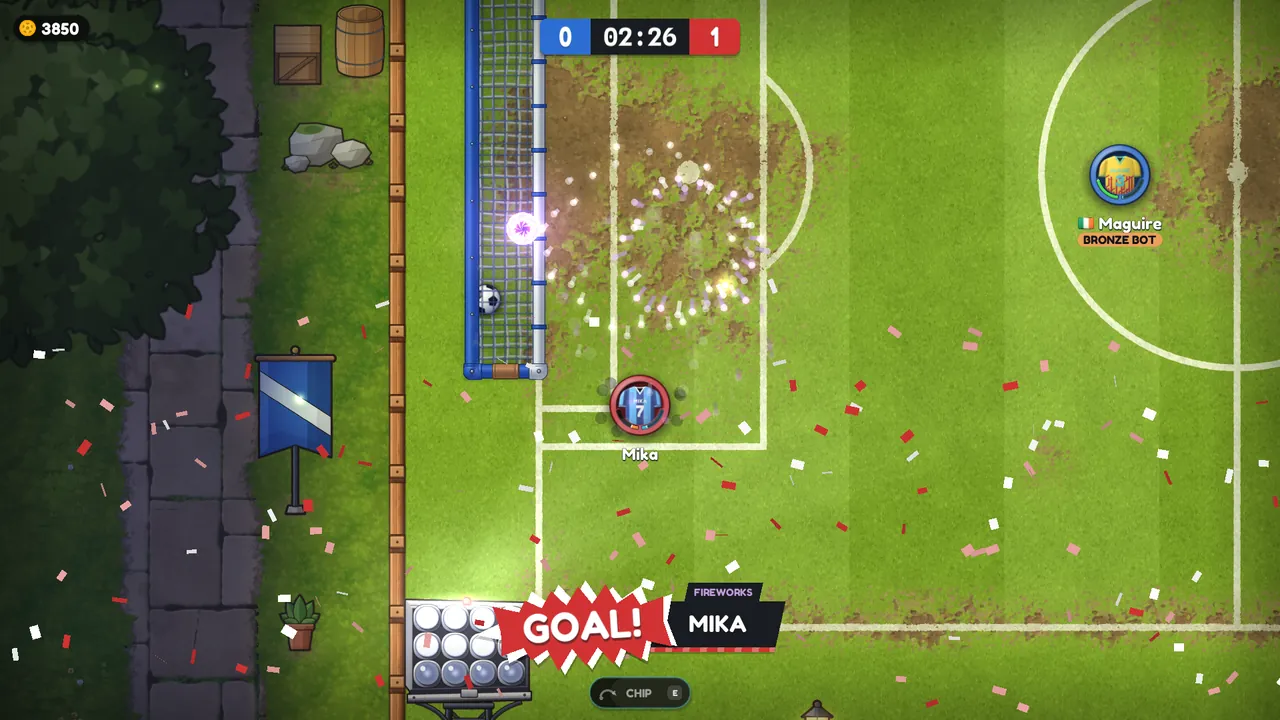
Livelier pitches, and phone buttons you slide across
The pitches are greener and brighter, on PC and phones alike. On phones you can now slide your thumb from SPRINT to KICK, POWER or your ability without lifting it, the camera is closer and the game runs more smoothly.
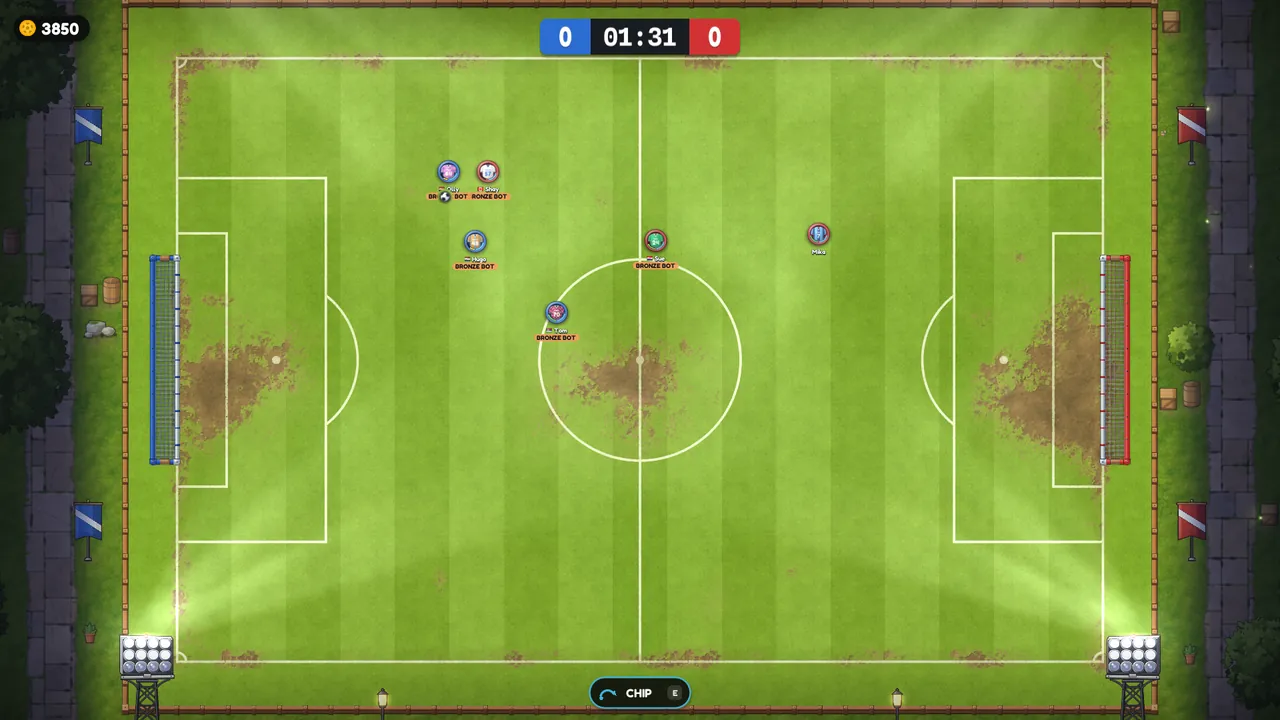
Karoball 0.1.35 makes every pitch livelier to look at and makes the game quicker to play on a phone. Most of it comes straight from what our Android testers told us.
You don't need to download anything on PC: the launcher installs the update the next time you start the game. Android testers get it through the Play Store.
What's new
Livelier pitches
- The turf is greener, the mowing stripes show clearly and the lines are whiter.
- The corners aren't dark by day any more.
- At night the pitch under the floodlights is nearly as bright as by day, while the town around it stays dark.
- PC and phones look the same.
On phones: slide between your buttons

With Two Buttons (Settings > Controls), KICK, SPRINT and POWER are now one shape: KICK in the corner, SPRINT beside it and POWER on top of both. Keep your thumb down and slide:
- from SPRINT onto KICK to kick,
- onto POWER for the power shot,
- back to SPRINT to keep running,
- onto your ability button to use it, and your sprint keeps going.
A quick sweep across KICK or POWER doesn't kick: a button takes over once your thumb settles on it. With One Button you can slide from SHOOT to your ability too. Thanks to the tester who drew this layout for us.
On phones: a closer camera, and smoother
- The camera is closer, so players and the ball are a quarter bigger. Pinch, or use the + and − buttons, to zoom.
- Frames are paced to your screen's refresh rate, so motion is smoother, especially on 90 and 120 Hz screens.
- Other players move more steadily when your connection hiccups.
- The joystick no longer flickers between two speeds when your thumb rests between them.
Quick play starts on Casual
New players start quick play on Casual, with bots filling empty places after 20 seconds, so a first game never waits on an empty ranked queue. If you've played before, your choice stays as it was.
Also in 0.1.33 and 0.1.34
- 0.1.33: delete your account in the game, under Settings > Account.
- 0.1.34: wear up to three goal celebrations and pick one after you score: 1, 2 or 3, or tap one on a phone. Pick none and you don't celebrate.