
Help & FAQ
Questions and answers
Short answers to what players ask most, from installing the game to your first match. If yours isn't here, ask on Discord.
No answers match that. Try a shorter word, or ask on Discord.
Ask on DiscordGetting started
What it costs, what it runs on, and how to get in.
Is Karoball free?
Yes. Karoball is free to download and free to play. There's nothing to buy with real money, and there are no ads in the Windows game.
The only money in the game is gold. You earn it by playing matches, challenges and cups, and by selling or trading kit.
Is it on Mac, Linux, Android or Steam?
Karoball is on Windows 10 and 11 today. The Android version is in closed testing on Google Play, and anyone can join: here's how. It's free and uses the same account, so your progress carries over. There are no Mac or Linux versions, and Karoball isn't on Steam yet.
News about other platforms goes on the updates page and the Discord.
What do I need to play?
- A PC with Windows 10 or 11
- A keyboard and a mouse
- A graphics card that supports OpenGL 2.1
- About 30 MB of disk space
- An internet connection: Karoball is online only
Older versions of Windows haven't been tested. Some PCs also need a free Microsoft runtime: see “missing https.dll”.
How do I install it?
- Get the zip from the download page.
- Unzip it anywhere: right-click it and choose Extract All. Running it from inside the zip won't work.
- Open the
Karoballfolder and runKaroball.exe.
The first start downloads the game itself, about 28 MB, then opens it. There's no installer, and you don't need admin rights.
Do I need to download it again for updates?
No. Every time you start Karoball.exe, the launcher checks for a new version and downloads only what changed. Most updates are about half a megabyte. The bigger ones, when the art changes, are around 16 to 18 MB.
If a new version comes out while you're playing, see “Update needed”.
Do I need an account? How do I make one?
Yes, you play with a free account. In the game, press Play, then Register on the Log In card. Pick a username (up to 29 characters, not already taken) and a password of at least 3 characters, then log in with them.
Use a password you don't use anywhere else: see “What password should I use?”
Do you need my email address?
No. The game never asks for an email address, your real name or your age. An account is just a username and a password.
That also means there's no email to send a password reset to: see “I forgot my password”.
Technical help
Windows warnings, error messages, files and settings.
Windows says it “protected your PC”, or my antivirus flagged it
Karoball's launcher is new and isn't code-signed, so Windows SmartScreen and some antivirus programs don't know it yet and warn about it. It's a false positive.
- On the blue Windows protected your PC box, click More info, then Run anyway.
- If your antivirus quarantined
Karoball.exeorhttps.dll, restore the file and allow the Karoball folder, or unzip the game again. - On Windows 11, Smart App Control, if it's turned on, can block new programs that aren't code-signed, with no Run anyway button. If that happens to you, ask on Discord.
The exe itself isn't signed, but the list of game files the launcher downloads carries the developer's signature, and each file has to match its published SHA-256, so a broken or tampered download is never run.
The launcher says it is “missing https.dll”
Your PC is missing a Microsoft runtime that the launcher needs. Install the Microsoft Visual C++ 2015–2022 Redistributable, x86 (the x86 one, even on 64-bit Windows), then start Karoball again. Reinstalling Karoball won't fix this one.
Get it from Microsoft: VC_redist.x86.exe. The same fix works if Windows says VCRUNTIME140.dll or MSVCP140.dll was not found.
Still stuck? Your antivirus may have removed https.dll: restore it, or unzip the game again.
The launcher says it “couldn't download Karoball” or “couldn't download the update”
The launcher couldn't reach either of its two download hosts, or the download kept breaking off. Check you're online and press Retry.
On a school or work network the downloads may be blocked: see school and work networks. Once the game is installed, the launcher starts it even when it can't check for updates.
The game says “Update needed”
A new version came out while the game was open, and the server no longer accepts the old one. Press Restart: Karoball goes back to the launcher, which downloads the update and starts the new version.
It says “Server is Currently Offline”
The game can't reach the server. Either the server is down or restarting, or something on your side is blocking the connection.
Check the Discord first: if the server is down, that's where you'll hear about it. If everyone else is playing, check your internet connection and the answer on school and work networks.
The game runs slowly or stutters
In Settings › Graphics:
- turn off Lighting and Day and Night
- set Anti Aliasing to 0
- try Windowed mode, or Limit FPS
If the picture is smooth but players or the ball jump about, it's more likely your connection: see the answer on ping.
It won't connect on a school or work network
Some networks block games. Karoball needs:
- outgoing UDP on ports 3000 and 3001 to
eu1.karoball.net, to play - HTTPS to
dl.karoball.netandf005.backblazeb2.com, for updates
If those are blocked, only whoever runs the network can open them.
Where are my screenshots, replays and crash reports?
Press F9 or F12 in the game to take a screenshot. Screenshots, saved replays and crash reports all go in the game's save folder:
%APPDATA%\Karoball
Type that into File Explorer's address bar to open it. Screenshots go in Screenshots, saved replays in replays and crash reports in crashes. The Screenshots button on the main menu opens your screenshots folder directly.
How do I uninstall it?
There's no uninstaller, because nothing is installed. To remove everything:
- Delete the
Karoballfolder you unzipped. - Delete
%APPDATA%\Karoball Launcher(the game files). - Delete
%APPDATA%\Karoball(settings, saved login, replays, screenshots and crash reports). Copy out anything you want to keep first.
Your account and progress stay on the server.
Does it need admin rights, or install anything?
No. Karoball runs from the folder you unzipped, which can live anywhere, such as your Desktop or Downloads. It adds no shortcuts or Start menu entries, and everything it writes goes to your AppData folder, so it never needs admin rights.
Your account
Passwords, names, flags and where your progress lives.
I forgot my password
There's no password reset in the game, because accounts have no email address to send one to. Two things to try:
- On the PC you last played on, the game remembers your login and fills it in for you.
- If that doesn't help, ask on Discord and say which username it is.
Can I change my username or delete my account?
You can delete your account in the game, under Settings > Account, and the delete account page has the steps. There's no button to change your username, so for that ask on Discord and say which account it is.
Will I lose my progress if I reinstall or change PC?
No. Your Elo, gold, kit, classes and challenge stars are kept on the server. Log in on any PC and it's all there.
Only your settings, saved replays and screenshots live on the PC itself.
Can I be logged in on two PCs?
You can use your account on any PC, but on one at a time. Logging in while you're already playing somewhere else gives “You are already logged in”.
What password should I use?
One you don't use anywhere else. Karoball's login is simple:
- The game saves your username and password on your PC, in its save folder, and fills them in for you next time. On a shared PC, anyone who opens the game can log in as you.
- There's no way to reset a password you've lost.
The server keeps only a hashed form of your password, never the password itself.
Why is there a flag by my name? Can I change it?
By default, the server works out your country from your connection when you log in, and shows its flag in front of your name (under your player) and on your profile.
To change it, open your own profile and press Change (or Add your flag). You can pick any of 256 flags, including England, Scotland, Wales and Northern Ireland, or No flag. A flag you pick never changes by itself.
What does the game keep about me?
What the game needs to run your account: your username and a hashed password, your game record (Elo, gold, kit, classes, challenge stars), your flag, your friends list and the chat lines you send. Replays of your matches stay on the server for 14 days.
The server also logs what happens in the game, such as logins, matches, trades and chat, and keeps those logs for 14 days. A private copy of them currently has no end date.
The privacy page has the full list, why each thing is kept, for how long, and who can see it.
Playing
Controls, ping, rejoining, classes, gold and more.
Can I play with a controller?
No. Karoball is played with a keyboard and mouse, and there's no controller or gamepad support. Keys can't be rebound either.
By default your player runs toward the mouse pointer. Press M in a match to steer with WASD or the arrow keys instead.
Can I play offline, or against bots without internet?
No. Everything runs on the server, bot games and challenges included, so you need to be online.
Once you're online, a bot game is there any time: choose VS BOTS in Quick Play and it starts straight away.
I'm not in Europe. Can I play, and what about ping?
Yes, from anywhere. There's one region for now, Europe, with one server, so the further you are from it, the higher your ping. The region chip at the top right of the play menu shows your ping.
If you play from far away, tell us on Discord how matches feel.
The game crashed or my connection dropped mid-match. Can I get back in?
Yes. Your place is kept for 150 seconds.
- If your connection dropped, the game reconnects and puts you back by itself.
- If the game crashed, start it again and press Play. The menu shows YOUR MATCH IS STILL ON, so press Rejoin.
If you're back in time, nothing is lost: it isn't a loss, you lose no Elo and your goals still count. If you don't make it, or press Abandon, it counts as a loss. Leaving with Leave Match doesn't keep your place, and bot games and challenges don't keep one either.
Can I play with my friends?
Yes. Add them as friends, by name or from their profile, and invite them to your party: up to 5 players. The party leader searches for everyone, the party always plays on the same team, and Quick Play only searches team sizes big enough for the whole party.
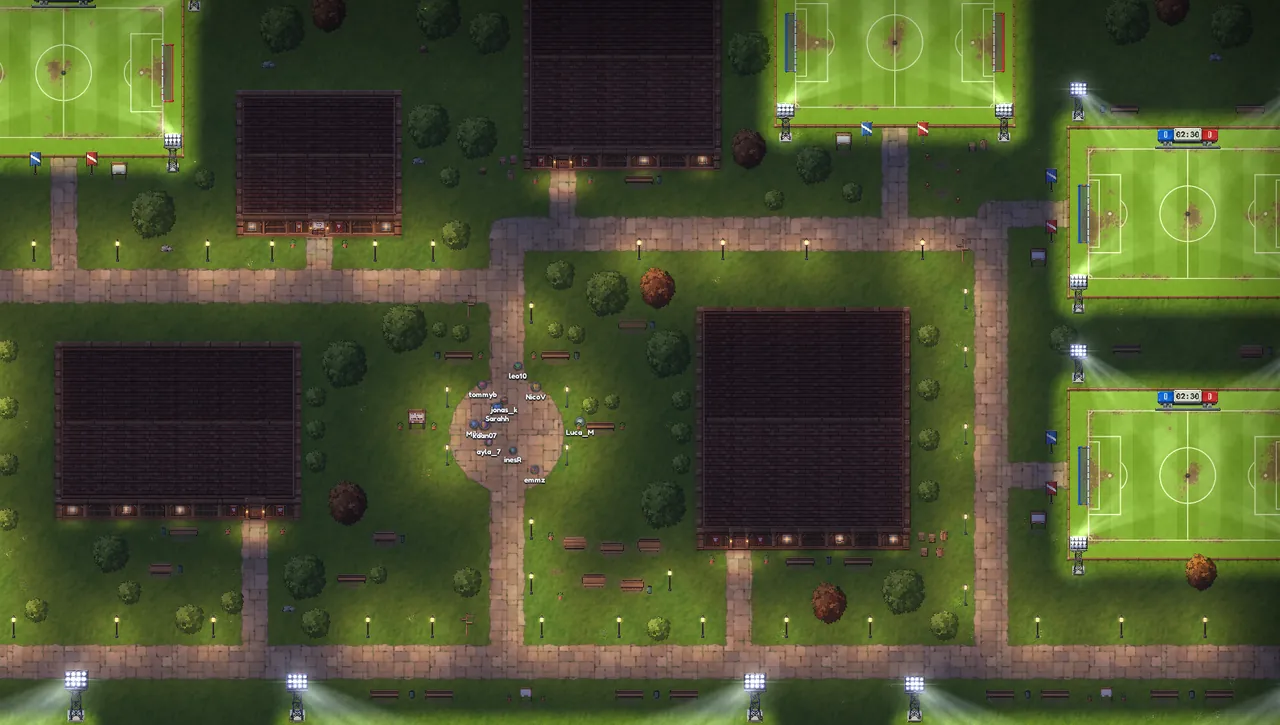
There are no private matches, but you can meet up on one of the town's pick-up pitches.
What's the difference between ranked and casual?
- In ranked, your Elo goes up or down, you're matched with players near your rating, and there are never bots.
- Casual is just football, with no Elo. If nobody else is searching, bots fill the empty places after 20 seconds. You can turn that off.
Your Elo sets your rank, from Bronze up to Master. Six of the town's nine pitches are rated too and move your Elo the same way. Leaving after kick-off counts as a loss either way, and costs Elo in ranked.
How do I unlock the other classes?
New accounts start with the Standard. Each of the other six is unlocked for good when you earn the first star on level 1 of its challenge, on the play menu's Challenges card.
- Dribbler: unlocked by Cone Slalom
- Gorilla: unlocked by Goal Cannon
- Meteor: unlocked by Sharpshooter
- Lakaka: unlocked by Pass Master
- Disruptor: unlocked by Bot Duel
- Phantom: unlocked by Cross & Finish
How do I earn gold, and what is it for?
- A Quick Play or town match: 25 for a win, 12 for a draw, 6 for a loss
- A bot game (touch the ball at least three times): 10, 5 or 2
- A challenge star, the first time: 20 to 180
- Selling a piece of kit: 40 to 6,000, by rarity
- Winning or reaching a cup final: a share of the prize
Spend it in the town shop, which has 8 new pieces every day at midnight UTC, from about 300 gold for a Common to about 40,000 for a Legendary. Or use it in trades. Walking out of a match pays nothing, and gold from bot games and challenges can't be traded.
How does trading work?
Meet the other player at the trading desk in the market hall, in town. You can swap kit and gold, up to 12 pieces each. You both see the same table, and both of you have to accept.
Gold from challenges and bot games, and kit won in challenges, can't be traded.
Can I watch my matches again?
Yes. Every match is recorded: Quick Play, bot games, cups and town pitches, but not challenges. Press Watch replay on the results screen, or open Replays on the play menu.
Replays stay on the server for 14 days. Press Save to keep one on your PC for good. Each replay has a number, so a friend can type it in and watch it too.
How do goal celebrations work?
A celebration is something you wear, chosen on the locker's Celebrations tab. After you score, run where you like and press your ability button (E, F or the middle mouse button) to celebrate there. If you don't, it starts by itself after 2.5 seconds.
There are 13, from a Blown Kiss to an Explosion. They drop as rewards, sell in the shop and trade like kit. Wear none and play simply restarts after the goal.
When are tournaments on?
There's no fixed timetable. A moderator sets up each cup, and it shows on the play menu's Tournaments panel with a countdown to the start. Sign up there, and be online when it starts.
Everyone signed up and online is then drawn into even teams and a knockout bracket, and each of your matches calls you from the play menu. The winners and runners-up share the prize gold, and the winners hold a champion title until the next cup of that type.
Getting help
Bugs, crash reports, other players and what we already know about.
Where do I get help, report a bug or suggest something?
On the Karoball Discord. It's the place for help, bug reports and ideas, and it's where outages are announced.
For a bug, say what you were doing, what you expected and what happened instead. A screenshot (F9) or the crash report helps a lot.
Prefer email? Write to support@karoball.net.
How do I report a player?
Report it on Discord: the player's name, what happened and roughly when.
If it happened in a match, add the replay number. Every match is recorded and kept for 14 days, and anyone can watch a replay by its number.
How do I send a crash report?
When Karoball crashes, it saves a report and shows a screen with Restart, Copy report and Quit.
- Press Copy report.
- Paste it into a message on Discord, with a line about what you were doing.
- Press Restart. If you were in a match, you have 150 seconds to rejoin.
Closed it already? The last 20 reports are kept in %APPDATA%\Karoball\crashes.
What are the known issues?
Karoball is in open test, so expect rough edges. What we know about, as of version 0.1.35:
- Windows only, for now. The Android version is in closed testing on Google Play; there's no Mac or Linux version.
- There's one region, Europe, so players far from Europe have a higher ping.
- SmartScreen and some antivirus programs warn about the launcher, because it's new and not code-signed. What to do
- On some PCs a runtime is missing. The launcher needs Microsoft's Visual C++ 2015–2022 Redistributable (x86). The fix
- No password reset or username change in the game. Ask on Discord. (You can delete your account yourself, under Settings > Account.)
- Queue from the play menu, because going to town leaves the queue.
- Keyboard and mouse only. There's no controller support, and keys can't be rebound.
- English only.
Still stuck? Ask on Discord
The Karoball Discord is where to get help, report bugs and hear when the server is down. Tell us what you were doing and what happened, and bring:
- The exact message
- A screenshot (F9)
- The crash report, if there is one